
Local SEO Checklist for Miami Businesses
Want to show up in Google Maps when someone in Miami searches for what you sell? Here is the list, in priority order, of what needs to be in place — from your Google profile to Spanish searches.
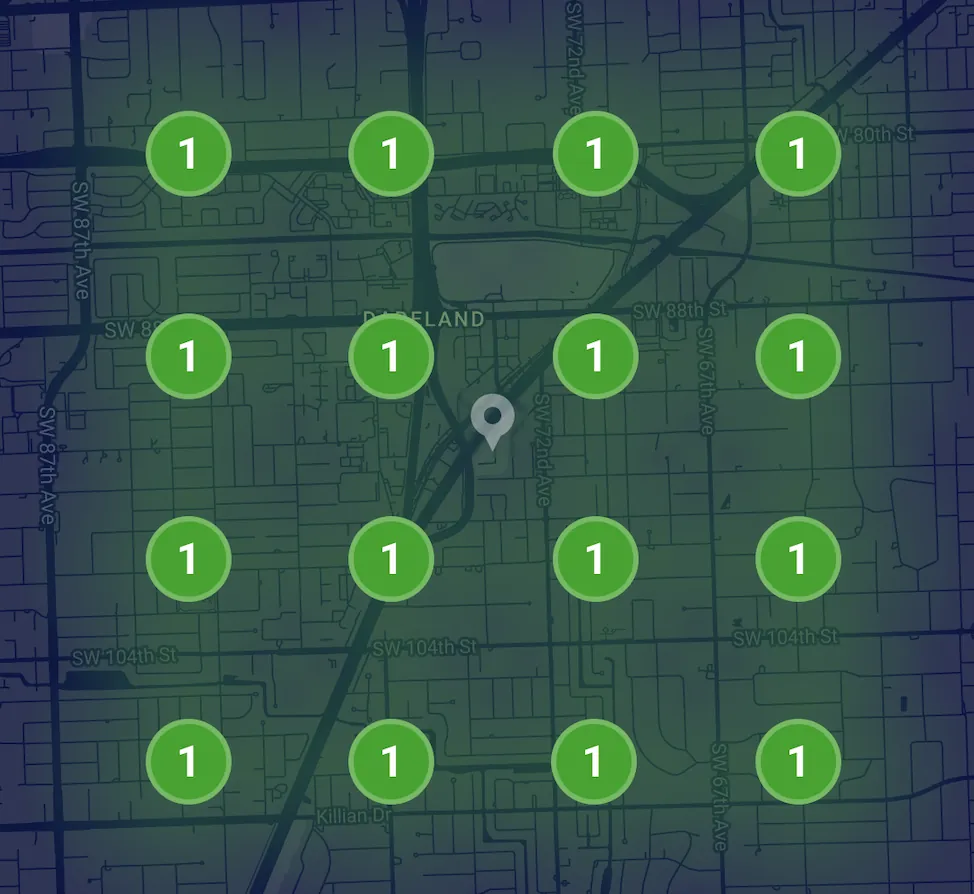
What a local SEO checklist covers
A local SEO checklist for a Miami business comes down to five things, done in this order: a complete Google Business Profile, a steady flow of reviews, a website with a page for each service and area you serve, consistent listings across the web, and tracking that shows which calls came from Google. Get those right and you give Google every reason to show you in the Maps 3-pack when someone nearby searches for what you sell.
The order matters. Many owners start with blog posts or backlinks because that is what they hear about, then wonder why the phone does not ring. In local search, your Google Business Profile and your reviews do most of the heavy lifting, and your website backs them up. Links and content help later, once the foundation is solid.
Use this as a working list. Go through it top to bottom, check off what is already done, and fix the first gap you find before moving on. If you serve customers in both English and Spanish — and in Miami, most businesses do — every step has a Spanish side too, and we point it out along the way.
Step 1: Get your Google Business Profile complete and correct
Your Google Business Profile is the listing that shows up in Google Maps and in the map pack on regular search. Check these first: the business name exactly as it appears on your sign (no added keywords, which can get a profile suspended), the right primary category, a few relevant secondary categories, your real address or service area, a local phone number, and hours that match when someone actually answers.
Then fill in everything Google offers: each service with a short description, products if you sell them, attributes like Spanish spoken or wheelchair accessible, a booking or quote link, and real photos — the storefront, the team, the trucks, the finished work. A profile full of real photos and a complete service list tells Google and customers that the business is active. A bare listing tells them the opposite.
Last, check for duplicates. An old address, a second listing someone created years ago, or a former partner's profile can split your reviews and confuse Google. Search your business name and phone number in Google Maps. If more than one listing shows up, report the extra one to Google and get it resolved before you do anything else on this list.
Step 2: Build a review routine, not a review push
Reviews are the tiebreaker in local search. When two businesses are equally close and relevant, the one with more recent, detailed reviews usually wins the click. The goal is not a burst of reviews in one month; it is a steady trickle every week, so your newest review is never months old.
Build the ask into your workflow. Send a text with your direct review link right after the job or visit, when the customer is happiest. Make the message bilingual so Spanish-speaking customers can answer in their own language. Never buy reviews, trade discounts for them or ask employees to post them; Google filters those and can penalize the profile.
Reply to every review within a few days. Thank happy customers and mention the service they got, and answer complaints calmly with an offer to fix it offline. If you want this on autopilot, our automatic review requests are $100 a month and remind customers who did not open the first message.
Step 3: Give every service and area its own page
Google needs to see on your website what your profile claims. That means one page for each main service — not one page that lists everything — with a clear headline, what is included, the areas you cover, real photos, common questions and a phone number that is easy to tap. A plumber with separate pages for drain cleaning, water heaters and leak detection gives Google three strong matches instead of one weak one.
If you serve customers beyond your own address, add a page for each main area: Doral, Hialeah, Kendall, Coral Gables, Homestead or wherever your customers actually are. Each page needs real local detail — jobs you have done there, the neighborhoods you cover, how you get there — not the same paragraph with the city name swapped. For All Welding Express, we built local SEO pages for welding searches across Miami, Coral Gables, Brickell, Doral, Hialeah and Kendall. For Pinecrest Bakery, the local SEO covers both the Pinecrest and Coral Gables locations.
Check the technical basics too: the site loads fast on a phone, your name, address and phone match your Google profile exactly, and every page title says what you do and where. If your current site cannot do this, our website is $599 one-time, with your domain, Google Business Profile setup and a QR + NFC review card included.
Step 4: Clean up citations and listings
Citations are mentions of your business name, address and phone number on other sites: Apple Maps, Bing Places, Yelp, Facebook, the BBB, your chamber of commerce and the directories for your industry. When they match your Google profile, they reinforce it. When half of them show an old suite number or a phone line that no longer works, they send mixed signals and send some customers to the wrong place.
Start with the big ones. Apple Maps matters because it is the default map on every iPhone, and plenty of Miami customers never open Google Maps at all. Then do the directories for your trade. Use the exact same format everywhere, down to Suite versus Ste. Local organizations are worth joining for the same reason: a listing with a Miami chamber of commerce or a neighborhood business association is both a citation and a local link.
If you have moved or changed phone numbers in the last few years, assume old listings are still out there. Search your old address and old number, and fix every result you find. It is tedious, but it is a one-time cleanup that keeps paying off.
Step 5: Cover Spanish search and track the calls
In Miami, dentista cerca de mí and dentist near me are different searches, often with different results. If your team speaks Spanish, say so on your profile, add Spanish versions of your most important pages, and invite Spanish-speaking customers to leave their review in Spanish. Many competitors skip this, which makes it one of the easier wins on the list.
Then measure. Turn on call tracking so you can see which calls came from Google Maps, your website or your ads, and check your profile's numbers every month: calls, direction requests and website clicks. Rankings move up and down every day; calls and booked jobs tell you whether the checklist is working. Call tracking is $100 a month with us.
And know what to skip: keyword-stuffed business names, fake addresses, purchased reviews and anyone guaranteeing the number one spot. Each one can get your profile suspended, and a suspended profile loses every Maps call until it is reinstated.
How long it takes and when to hand it off
Profile fixes and fresh reviews can bring more calls within a few weeks. Steady Google Maps rankings in competitive categories usually take months of consistent work, not days. If you need calls sooner, paid local ads can fill the gap while you build: Dade Towing received 28 phone calls for $200 in ad spend with Google Local Services Ads, which we manage for $200 a month plus the budget you pay Google.
You can work through most of this checklist yourself; it costs time more than money. If you would rather hand it off, our local SEO Miami service starts at $250 a month and Google Business Profile management is $100 a month, both month-to-month, in English and Spanish.
Key takeaways
- Work in order: Google Business Profile first, then reviews, service and city pages, citations, and tracking.
- Keep your business name clean, your categories right and your hours honest — and remove duplicate listings.
- Ask for reviews after every job, in English and Spanish, and reply to all of them.
- Give each service and each area you serve its own page with real local detail.
- Judge local SEO by calls and booked jobs, not by daily ranking swings.
Keep reading
- Local SEO and Google Maps — from $250/mo
- How to choose a local SEO company in Miami
- How citations work and why they matter
Rather have this checklist handled for you? Call us and tell us which services and neighborhoods matter most to your business — we work in English and Spanish. Call us at (786) 373-8691.